How to Make Instagram Reels for Business With Just Your Phone
By IndieAM · · Updated
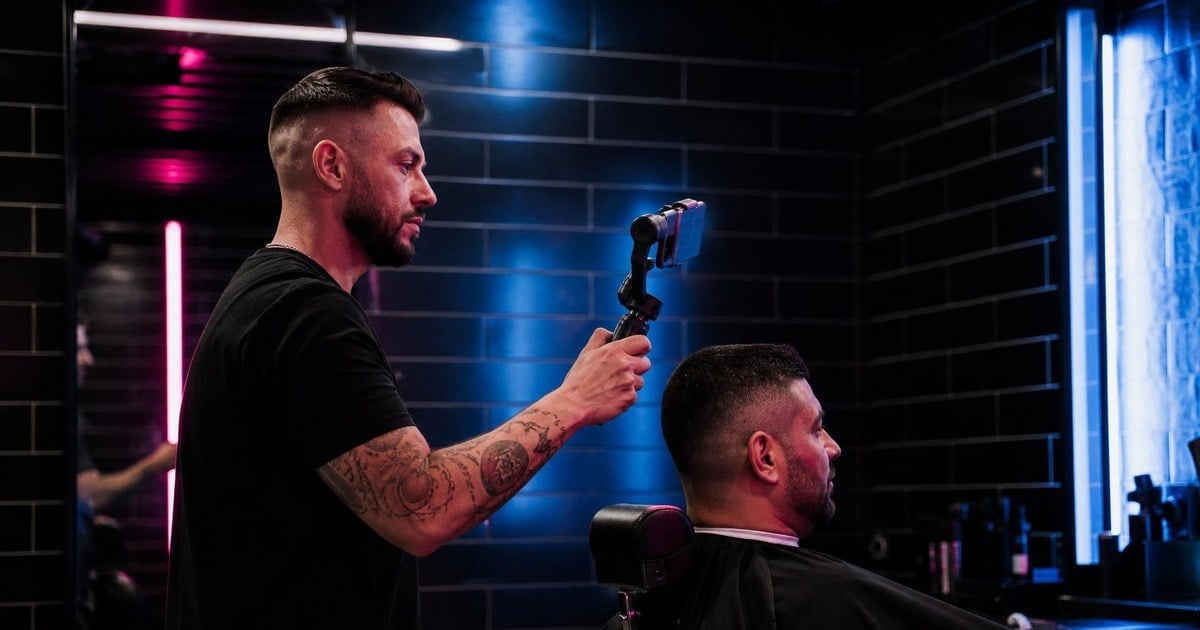
To make an Instagram reel for your business, open Instagram, tap +, choose Reel, then film something or pick clips and photos from your camera roll. Add words or sound, tap Next, and share it. You don't need any other app, and about 15 seconds is plenty for a first try.
The harder part is knowing what to film and how to keep people watching. Here's a simple way through it, along with a warning about music that can catch out business accounts.
How to make a reel, step by step
These steps follow Instagram's own guide. Labels can shift a little between app versions.
- Open Instagram, tap + and select Reel.
- Record a clip, or choose clips and photos from your camera roll. Several will be joined together automatically.
- Tap the arrow to open the editing screen.
- Add your words, sound and captions, which we cover below.
- Tap Next, write a short caption, and share it.
Reels can run from 3 seconds to 3 minutes. Instagram suggests beginners start at around 15 seconds, because short videos are easier to edit and tend to hold attention to the end. Its feature page also says reels over 3 minutes aren't recommended to new audiences, so a longer one is unlikely to be the way to find new customers.
Hold the phone upright, film near a window if you can, and keep your hand steady, or lean the phone against something. For a business, those few habits usually matter more than editing tricks.
Which app is best for making Instagram reels?
For most owners, the best app is Instagram itself. It's already on your phone, and it does everything a simple reel needs: joining clips, text, music, a voiceover, and captions.
If you later want more control, Instagram also has a separate app called Edits. Instagram describes it as built for more precise work, with a detailed timeline and layered audio, and you can send the finished video straight to Instagram. Other editing apps exist too, such as CapCut. We haven't compared them, and we wouldn't spend time on any of them until you've made a handful of reels and know what you're missing.
How do you make a reel with pictures and music?
If you don't feel like being on camera, this is the easiest place to begin. Instagram's guide says photos play as a slideshow when you add several.
- Tap +, select Reel, and pick several photos from your camera roll.
- On the editing screen, tap the music note icon and choose a track.
- Drag along the waveform to choose which part of the song plays.
- Change the volume if you need to.
- Add a line of text so people know what they're looking at, then tap Next.
A before-and-after of a job, five dishes from this week's menu, or the steps of a repair all work well this way. Before you choose that song, though, read the next part.
A warning about music on business accounts
This one is easy to miss. Instagram says the music in its licensed library is intended for personal, non-commercial use. It also says that certain business accounts and certain types of posts don't get access to that library, to keep the music from being used commercially.
Instead, Instagram points those accounts to Meta's Sound Collection, which it describes as over 14,000 songs and sounds that are royalty free, safe to use in reels and Stories, and usable for commercial purposes like ads. You can find it by tapping Audio in the Reels camera.
So, for a business:
- Choose from Sound Collection when you can.
- Don't assume a popular song is fine just because you can tap on it. We're not lawyers, and if music matters a lot to your business, a lawyer can tell you more.
- Remember you can avoid the question entirely by using your own voice or the real sound of your work: coffee grinders, scissors and saws are all pleasant to listen to.
To record your own voice, tap the microphone icon after filming. A plain "Here's how we fix a sticking door" in your own voice also sounds like you, which a stock track never will.
What is the 3 second rule on Instagram?
It's a popular rule of thumb that you have about three seconds to give people a reason to keep watching. We couldn't find it as a rule from Instagram. You'll mostly see it on marketing sites, some of them selling video tools, and they don't agree on the details.
What Instagram does say is close in spirit. Its guide advises a strong opening line of text in the first frame, treated like a headline that gives people a reason to stop scrolling.
Instagram's head, Adam Mosseri, has said that it looks at both the share of a video watched and the total seconds viewed, according to writer Lindsey Gamble's summary of a video he posted. In other words, the first few seconds matter because they get people to the rest. They aren't a test you pass or fail.
So start with the interesting part. Here are some made-up openings to adapt:
- A finished result first: the cake, the clean oven, the new haircut. Then show how it happened.
- A question customers really ask: "Why does my tap keep dripping?"
- A surprise from your trade: "Don't do this to your leather boots."
- Words on screen: "3 things to do before you repaint."
Avoid opening with your logo or a slow "Hi everyone, welcome back". Nobody's waiting for that part.
Add captions
Instagram says captions make a reel accessible to people watching without sound. To add them, tap the Stickers icon and choose Captions, and Instagram will write out what's being said. Read through them before you post, because automatic captions can trip on names and trade words.
Five reels any small business can film this week
You don't need a script or a good speaking voice for these. Pick whichever sounds least annoying to do:
- A start-to-finish job. Film a few seconds at each stage of one piece of work.
- Opening up. Keys, lights, first coffee, the sign turned around.
- A quick tip. One useful thing customers ought to know, said out loud in 15 seconds.
- A common question answered. Say the question on screen, then answer it.
- A look behind the counter. Something customers never get to see, like the back room, the delivery, or the tools.
Show customers only if they've said yes, and if you're looking for more subjects, try our 50 post ideas. The numbers worth checking afterward are in the 3 numbers that matter.
How to fit reels into a busy week
Save up instead of filming on demand. While you're working, take a few 5-second clips whenever something looks good, and keep them in one album. Then, once a week, sit down for half an hour and turn them into a reel or two. Instagram also lets you schedule ahead, so nothing has to go out in the middle of a rush.
If you want the bigger picture on your account, from setup to what else to post, see our beginner's guide to Instagram for small businesses.
Some owners would still prefer not to do the editing. You could pay a freelancer for it, or use a template in Instagram, which drops your clips into a pre-made structure. Our own tool, IndieAM, writes video scripts in your business's voice and can finish a 9:16 reel from your clips or photos, then publishes it to your connected Instagram once you've approved it. It won't come and film for you, and it doesn't reply to comments, so it's not the right fit if you want someone else handling all of that. Our prices are on the home page.
Whichever way you go, your first reel doesn't have to be good. It just has to exist, and the tenth will be easier.